Archive

Archive for July, 2009

How to install and configure SNMP via command line on your servers

July 22nd, 2009 2 comments

You can install pretty much any windows component locally or remotely on a server.  Here is an example of installing SNMP using an answer file via command line locally on a server:

sysocmgr /i:%windir%\inf\sysoc.inf /u:”\\server\share\snmp.txt” /q

This will install SNMP quietly using the answer file I give it which is located on a file share.  Here are the contents of the answer file:

[NetOptionalComponents]
SNMP = 1

[SNMP]

Send_Authentication = Yes
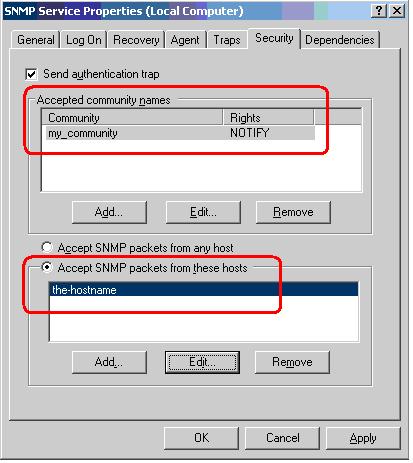
Accept_CommunityName = mine_ro:Read_Only
Any_Host = No
Limit_Host = xxx.xxx.xxx.xxx

This will automatically configure a new read only community you specify and add a single host that is allowed to connect (you can add more IPs but adding a comma after each one).  The only dilemma is that during the install, it needs to get at the i386 directory and by default in the registry, it is pointed to “D:/i386” more than likely since that is typically the CD-ROM drive you installed the OS from.  We just need to run a quick registry update to two keys that point it to the C: drive before running the line above and it should work with no issue.  This can be done in bulk on servers too using whatever remote management tool you prefer:

HKEY_LOCAL_MACHINE\SOFTWARE\Microsoft\Windows NT\ CurrentVersion\Sourcepath

HKEY_LOCAL_MACHINE\SOFTWARE\Microsoft\Windows \CurrentVersion\Setup\Sourcepath

Keep in mind sysocmgr.exe has been replaced in Server 2008 by ocsetup.exe.  You can read up on command line switches for it here:

http://technet.microsoft.com/en-us/magazine/dd673656.aspx
http://technet.microsoft.com/en-us/library/cc766272(WS.10).aspx

Restoring a single user’s deleted archives in Symantec Enterprise Vault

July 9th, 2009 1 comment

Yes!  Believe it or not, users do make mistakes!  Does that mean you have to restore your entire mail store when a user accidentally deletes some archived mail?  The answer is no, but you have to setup Recover Deleted Items in EV.  Just go to Site Properties and set it on the Archive Settings tab.  You can also set how long to retain deleted archives here.  Once you do this, the next time you check the user’s archive, you will see a “Recover Items” tabs and can restore the messages for them.

Of course if you hadn’t configured it originally and are stuck contemplating what to do, click on the Archived node in VAC and their is an option called Export.  Pick the user in question and restore the original mailbox or export it to a PST.  Done!  See how much time that saves vs. restoring the entire store? :)